OST to PST Pro Converter3.0
Publisher Description
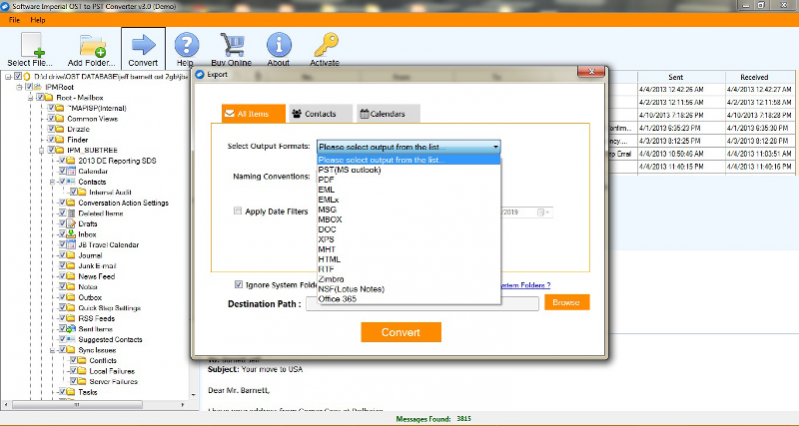
Export OST emails to Outlook PST email format with Microsoft OST to PST Converter Software. Export OST emails to Office 365 account, Export OST to EML, MSG, PSD, MBOX, Zimbra, NSF-IBM Lotus Notes, HTML, DOC, MHT, XPS etc. Export ost email database directly to Gmail, Thunderbird, Spicebird, Pocomail, Apple mail, Eudora, Exchange Server, and Entourage etc. Email migration of OST database with originality of email's property, meta-data, formatting of text and images of emails, attached items of emails, Contacts, Calendar, notes and all folders. Recover Outlook OST email files with Microsoft OST Recovery Software, Recover corrupt OST emails database with entirety of original emails and folders structure. Import OST emails on Outlook, import OST file on Office 365 account with contacts, notes, calendar, meeting list, to-do list etc. When the OST files with the data that are important become unusable, it will lead to the downtime in the work and business related. So to get the data restored from the OST files corrupted due to any reason using OST to PST Pro Converter Software. To overcome the situations that cause OST file corruption and to get the data safely restored from those files, get the OST file recovery utility installed which is multipurpose.
About OST to PST Pro Converter
This File & Disk Management program is available in English. It was last updated on 29 September, 2026. OST to PST Pro Converter is compatible with the following operating systems: Windows, Windows-mobile.
The company that develops OST to PST Pro Converter is SOFTWARE IMPERIAL INC. The latest version released by its developer is 3.0. This version was rated by 7 users of our site and has an average rating of 5.0.
The download we have available for OST to PST Pro Converter has a file size of 21.0 MB. Just click the green Download button above to start the downloading process. The program is listed on our website since 2019-06-19 and was downloaded 153 times. We have already checked if the download link is safe, however for your own protection we recommend that you scan the downloaded software with your antivirus. Your antivirus may detect the OST to PST Pro Converter as malware if the download link is broken.
How to install OST to PST Pro Converter on your Windows device:
- Click on the Download button on our website. This will start the download from the website of the developer.
- Once the OST to PST Pro Converter is downloaded click on it to start the setup process (assuming you are on a desktop computer).
- When the installation is finished you should be able to see and run the program.
Program Details
System requirements
Download information
Pricing
Version History
version 3.0
posted on 2019-06-19
Software New Version 3.0 and Also Supports Windows 10, Office 365 Cloud Account, Mirosoft Outlook 2019 (64bit or 32bit)
